備份Instek Digital的網路監控錄影機(NVR)設置
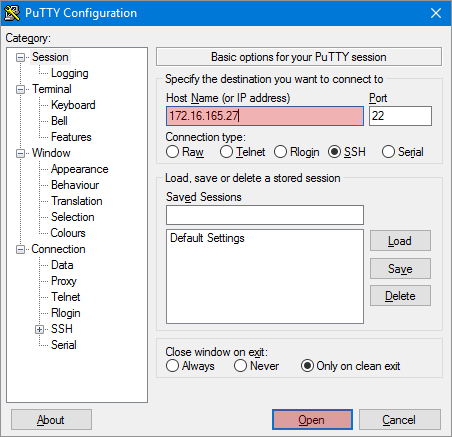
- 前往 Windows Start;
- 在 Instek Digital 資料夾、選取 PuTTY;
- 在"Host Name (or IP address)" 輸入欄位、填入IP 位置
- 點選 Open;
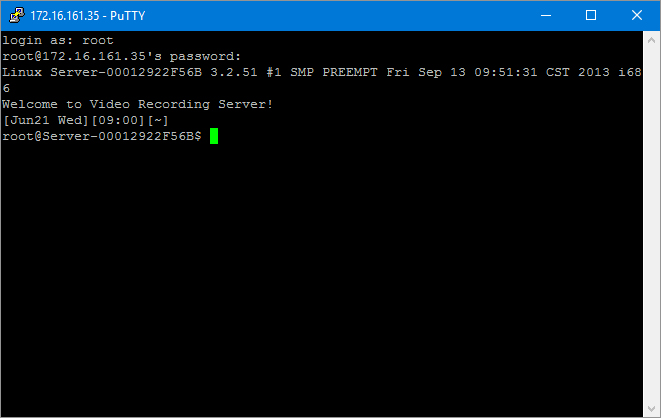
- 然後 "PuTTY" 視窗介面將會顯示;
- 在 "PuTTY"視窗鍵入帳號(username) 及 密碼(password) (預設 username 為 root 預設Password為 id;
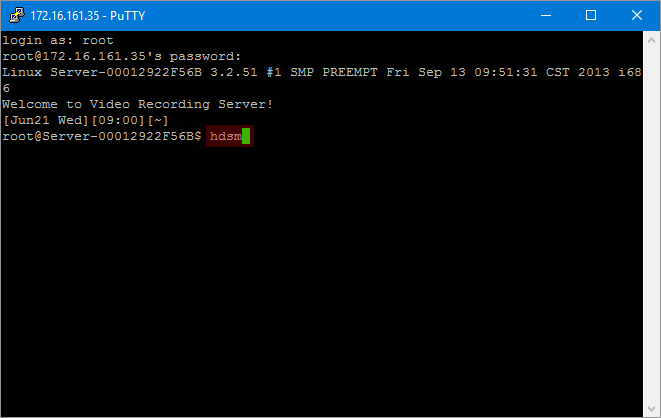
- 鍵入 hdsm 來進入網路監控錄影機系統管理介面;
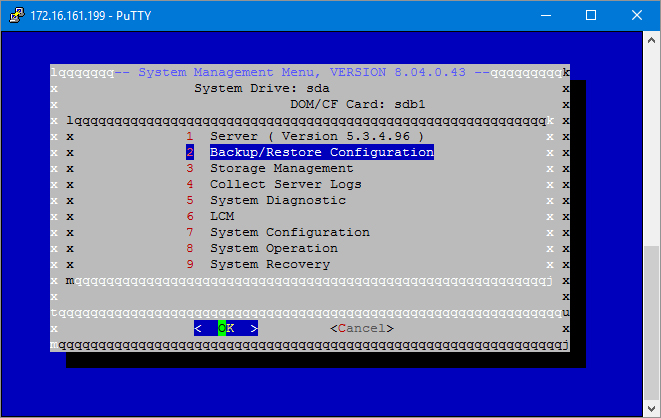
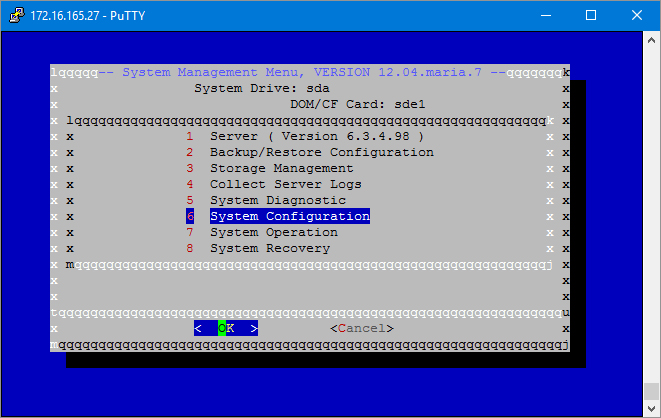
- 然後網路監控錄影機系統管理選單將會顯示;
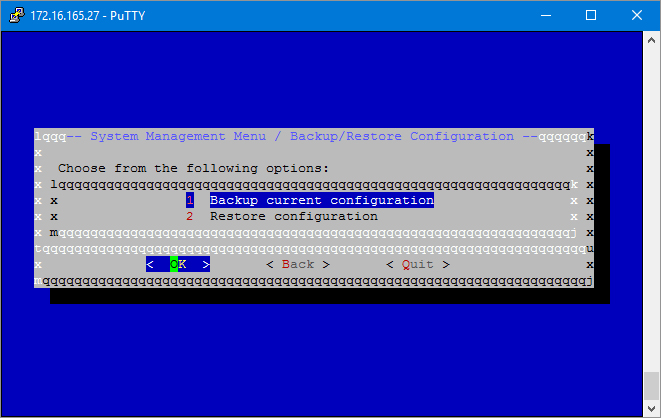
- 要備份網路監控錄影機設定、選擇 功能 2 (Backup/Restore Configuration);
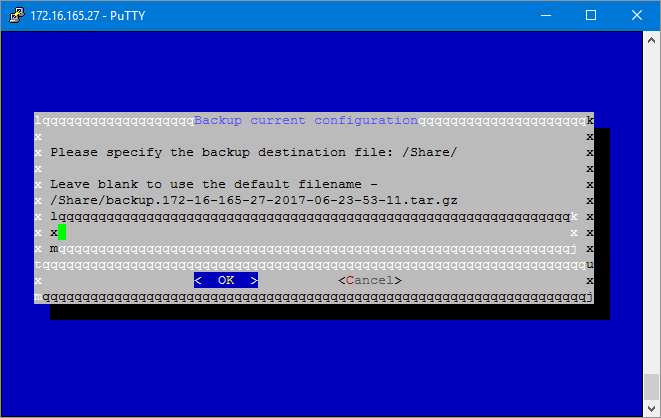
- 再選擇 功能 1 Backup current configuration
- 現在備份檔案 (.tar.gz) 會自動儲存到網路監控錄影機系統的 Share 資料夾。
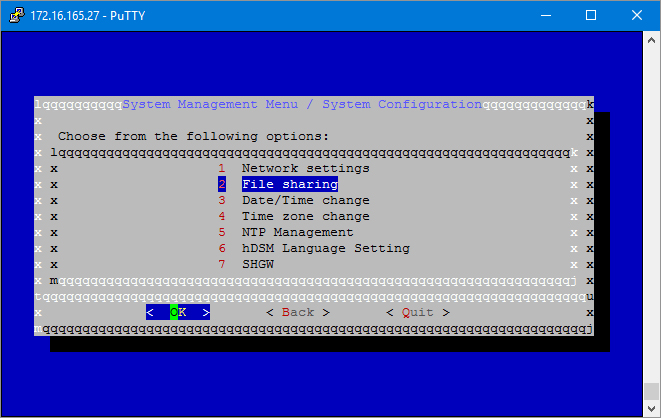
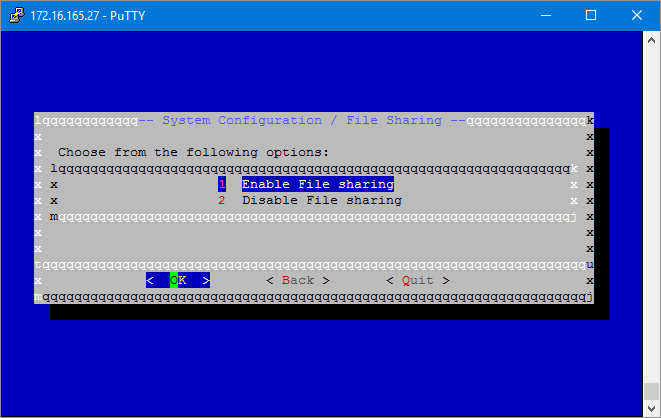
- 要存取備份檔案、選擇 功能 6 System Configutation
- 再選擇 功能 2 File sharing
- 選擇 功能 1 Enable File sharing
- 現在可以連線至Share資料夾中找到tar.gz-檔案,並將其複製到另一台NVR。